
Why Shopify Speed Matters in 2026
Let’s start with the numbers that should keep every store owner up at night.
53% of mobile users abandon a site that takes longer than 3 seconds to load. That’s more than half your potential customers “gone” before they’ve even seen your product.
Every second of delay costs you 7% in conversions. But it gets worse. Shopify’s own analysis of tens of thousands of stores found that every 100 milliseconds of slower load time correlates with a roughly 3.5% drop in conversion rate. A store loading at 2.5 seconds sees roughly 30% lower conversion than one loading at 1.5 seconds.
Speed isn’t just about conversions. It’s about:
- SEO rankings: Google’s Core Web Vitals are confirmed ranking factors. Slow stores get buried.
- AI search recommendations: AI-powered shopping assistants prioritize fast-loading stores. If you’re slow, you’re invisible.
- Customer trust: 88% of users won’t return after a bad experience.
Speed affects conversions
Every additional moment a customer spends staring at a blank screen, spinning loader, or partially loaded product page creates friction.
A fast store makes the shopping journey feel effortless:
Click → Load → Browse → Add to Cart → Checkout
A slow store introduces uncertainty:
Click → Wait → Wait → Scroll → Wait → Leave
There isn’t a magic number of seconds that guarantees a conversion rate increase for every store. Your products, audience, traffic source, pricing, and checkout experience all matter.
Speed affects SEO
Google doesn’t rank websites based on PageSpeed scores alone. A 100 score doesn’t automatically beat a competitor with a 70.
However, performance contributes to the overall page experience, and Google’s Core Web Vitals are important real-user performance signals. The current Core Web Vitals are:

- LCP — Largest Contentful Paint: how quickly the main content becomes visible
- INP — Interaction to Next Paint: how quickly the page responds to user interactions
- CLS — Cumulative Layout Shift: how stable the layout is while loading
Google evaluates these metrics using real-world data when sufficient data is available.
Speed also matters for modern search experiences
Search is becoming more conversational and increasingly relies on systems that identify useful, accessible information.
A fast website won’t automatically make an AI system recommend your store. But a technically healthy, accessible, crawlable, and user-friendly website gives your content and products a stronger foundation for search visibility.
The goal isn’t to “hack AI search.”
The goal is to build a store that is genuinely easy for both people and search engines to use.
How to Check Your Shopify Store Speed?
Before changing anything, establish a baseline.
Don’t start deleting apps or replacing your theme simply because someone told you your store is slow.
Measure first.
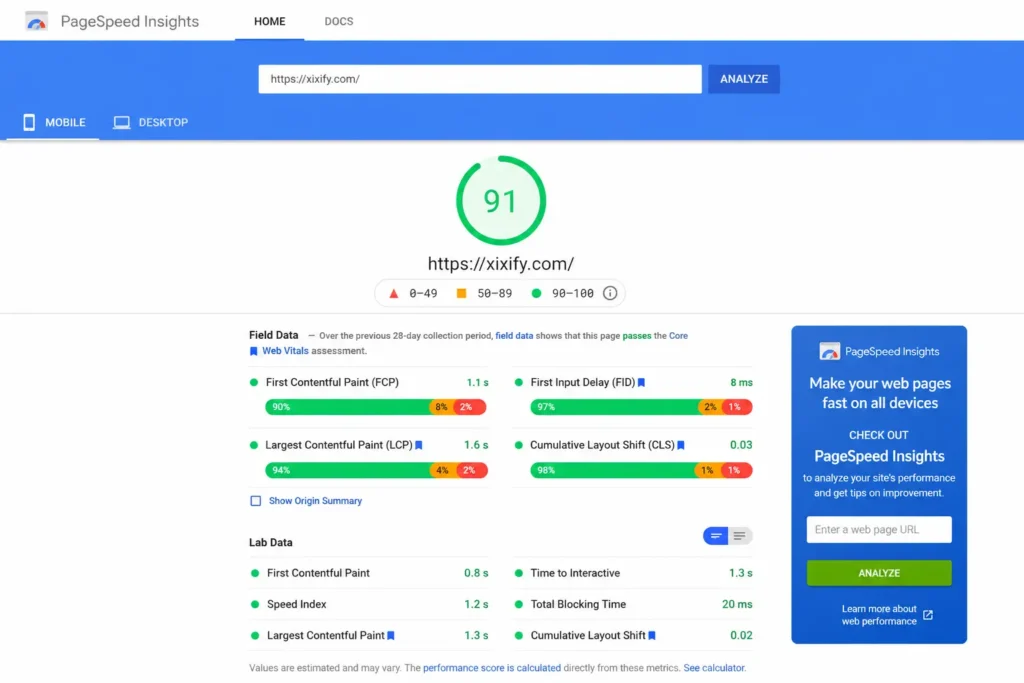
PageSpeed Insights
Google’s PageSpeed Insights is one of the best places to start.
It provides both:
- Lab data, generated through Lighthouse
- Field data, based on real Chrome users when sufficient data is available
It also reports metrics such as LCP, INP, CLS, and other performance diagnostics.
Run tests on more than your homepage.
At minimum, test:
- Homepage
- Product page
- Collection page
- A high-traffic landing page
Your product pages are particularly important because that’s where customers make buying decisions.
GTmetrix
GTmetrix is useful when you want a more detailed technical breakdown of what’s happening during page loading.
It can help you identify:
- Large images
- Slow requests
- JavaScript problems
- CSS issues
- Third-party scripts
- Waterfall bottlenecks
Use it alongside PageSpeed Insights rather than treating either tool as the absolute truth.
What does a PageSpeed score mean?
For Lighthouse/PageSpeed’s Performance score:
· 90–100: Good
· 50–89: Needs improvement
· 0–49: Poor
Google officially uses 90 as the threshold for a “good” Lighthouse category score.
But here’s an important distinction:
A 90+ score is a useful target—not the definition of a fast Shopify store.
You can have a 90 score in a lab test while real customers still experience poor Core Web Vitals.
That’s why you should look at both the score and the underlying metrics.
Don't optimize desktop and ignore mobile
Your mobile experience deserves special attention.
Most ecommerce shoppers now interact with stores from phones, where network conditions, screen sizes, and device performance vary significantly.
A store that feels lightning-fast on your high-end desktop may feel painfully slow on an older smartphone using a mobile connection.
Always test mobile performance separately.
7 Common Shopify Speed Issues and How to Fix Them
1. Large, Uncompressed Images
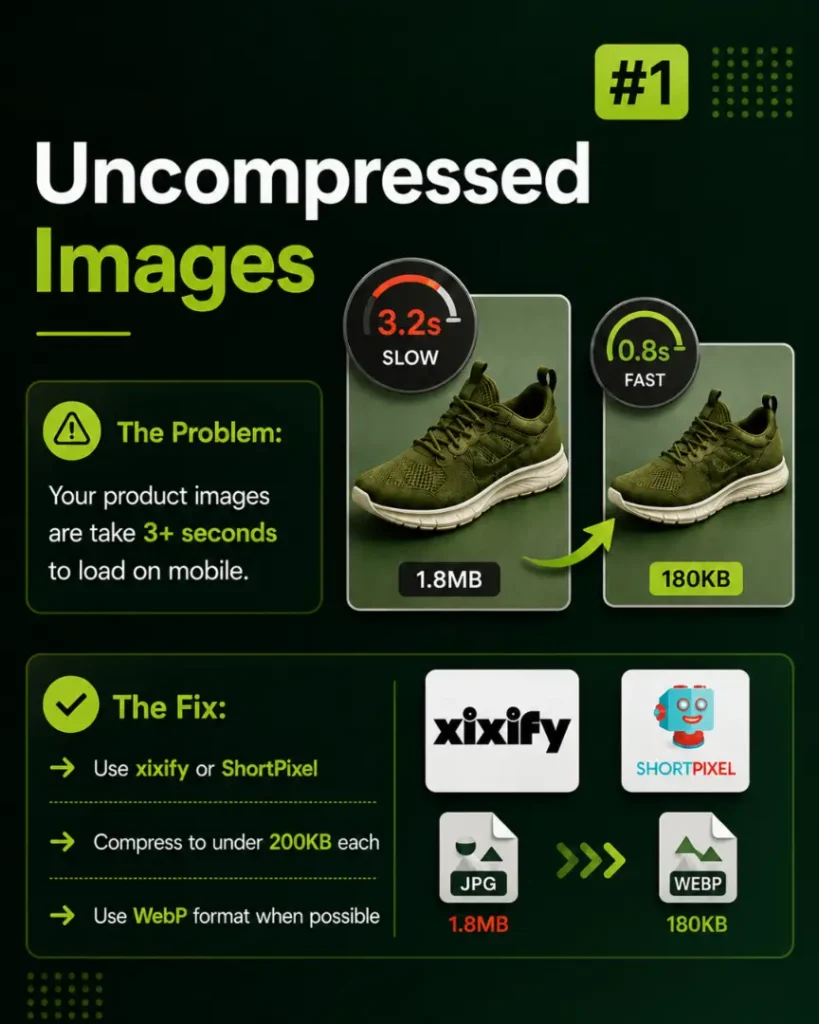
Product photography is essential for ecommerce—but huge image files can destroy page performance.
Uploading a 3–8 MB image simply because it looks great on your computer doesn’t mean customers need to download all those megabytes.
How to fix it:
- Compress product images before uploading
- Use modern formats such as WebP where appropriate
- Resize images to the dimensions actually required
- Avoid unnecessarily huge hero images
- Use responsive images
- Lazy-load images that aren’t immediately visible
A practical target is to keep individual images as lightweight as possible without visibly compromising quality. For many ecommerce images, getting below roughly 200 KB is a useful goal, but don’t treat 200 KB as a universal rule.
2. Too Many Shopify Apps
This is one of the biggest problems in Shopify stores.
You install an app for reviews, pop-ups, Instagram feeds, countdown timers, size charts, upsells, analytics, product badges, or sticky add-to-cart buttons. Then six months later, half of those apps are no longer being used.
The problem is that uninstalling an app doesn’t always mean every piece of code it added disappears from your theme.
How to fix it:
- Audit your apps
- Remove apps that no longer provide meaningful value
- Check your theme code for leftover scripts or snippets
- Use Shopify’s native functionality when possible
3. Images Aren't Lazy-Loaded
You don’t need to load every image on a page immediately.
Imagine a collection page containing 40 products. A customer initially sees perhaps six products. Loading all 40 images before the customer can interact with the page wastes bandwidth.
How to fix it:
- Use lazy loading for images below the initial viewport
- Don’t blindly lazy-load critical above-the-fold images
- Prioritize the main product or hero image when it contributes to LCP
4. Render-Blocking JavaScript
JavaScript can make a store interactive, but too much JavaScript—or JavaScript loaded at the wrong time—can delay rendering.
Common culprits include chat widgets, tracking scripts, review widgets, pop-ups, heatmaps, marketing pixels, and personalization tools.
How to fix it:
- Defer non-critical JavaScript
- Load scripts only on pages that need them
- Remove unnecessary libraries
- Delay third-party scripts until interaction where appropriate
- Avoid duplicate scripts
5. Your Theme Is Too Heavy
A beautiful theme with dozens of animations, sliders, dynamic sections, effects, and built-in features can become expensive to render.
If your current theme is heavily customized or bloated, consider moving to a lightweight, performance-focused Shopify theme.
Dawn is a common starting point because it is Shopify’s reference theme and is designed around modern storefront performance practices.
However, don’t switch themes purely because you want a higher PageSpeed score. First determine whether your existing theme can be cleaned up.
6. Too Many Fonts and Font Weights
Typography affects performance too.
Loading multiple font families with multiple weights creates additional requests and downloads.
For most stores:
- Use one primary font family
- Use a second family only when there’s a strong design reason
- Keep the number of weights reasonable
- Consider system fonts when appropriate
7. Don't Worry About Adding Another CDN
Shopify already provides a global CDN backed by Cloudflare for its storefront infrastructure.
So for most Shopify merchants, you don’t need to install another CDN simply because someone told you your store doesn’t have one.
What you should do instead:
- Make sure static assets are delivered efficiently through Shopify’s infrastructure
- Avoid unnecessary external asset hosting
- Reduce third-party requests where possible
Cloudflare can still be useful for specific infrastructure, security, DNS, or proxy requirements, but adding Cloudflare does not automatically make every Shopify storefront faster.

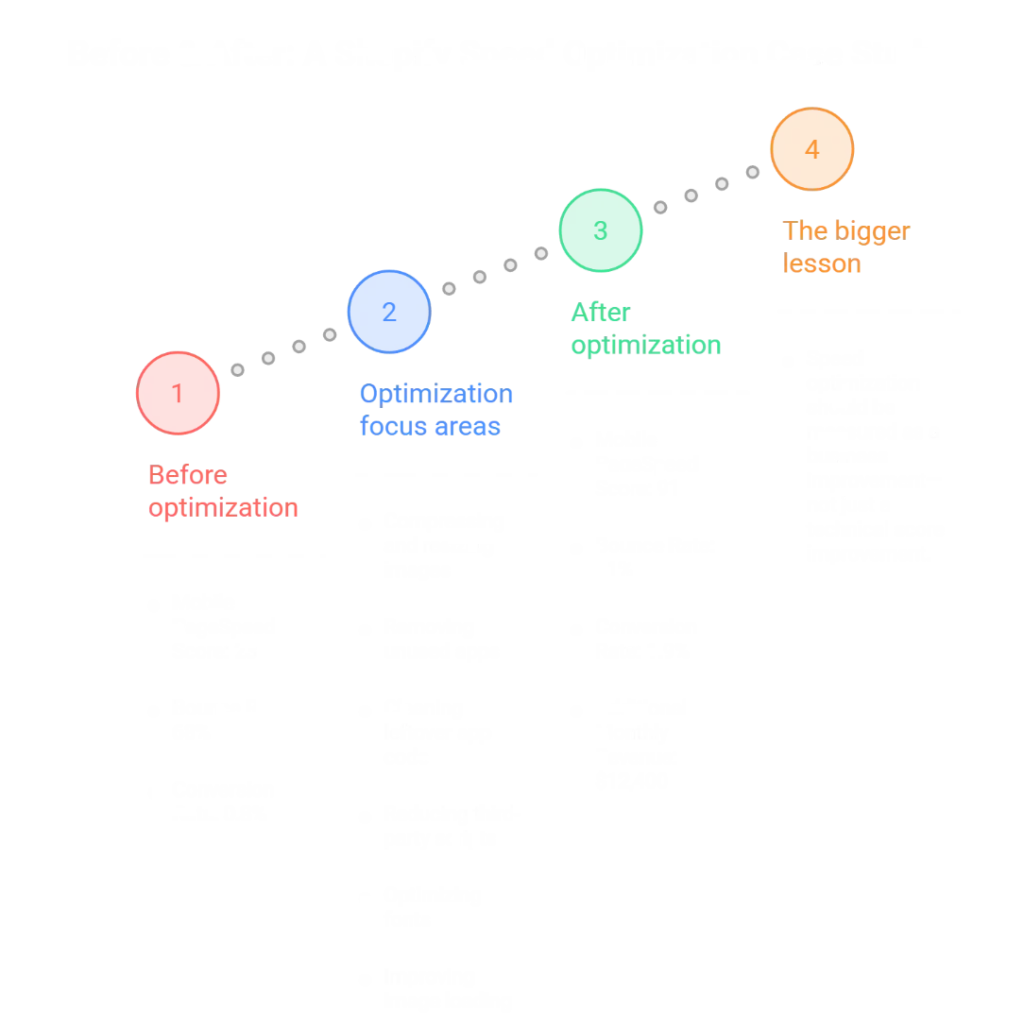
Before & After: A Shopify Speed Optimization Case Study
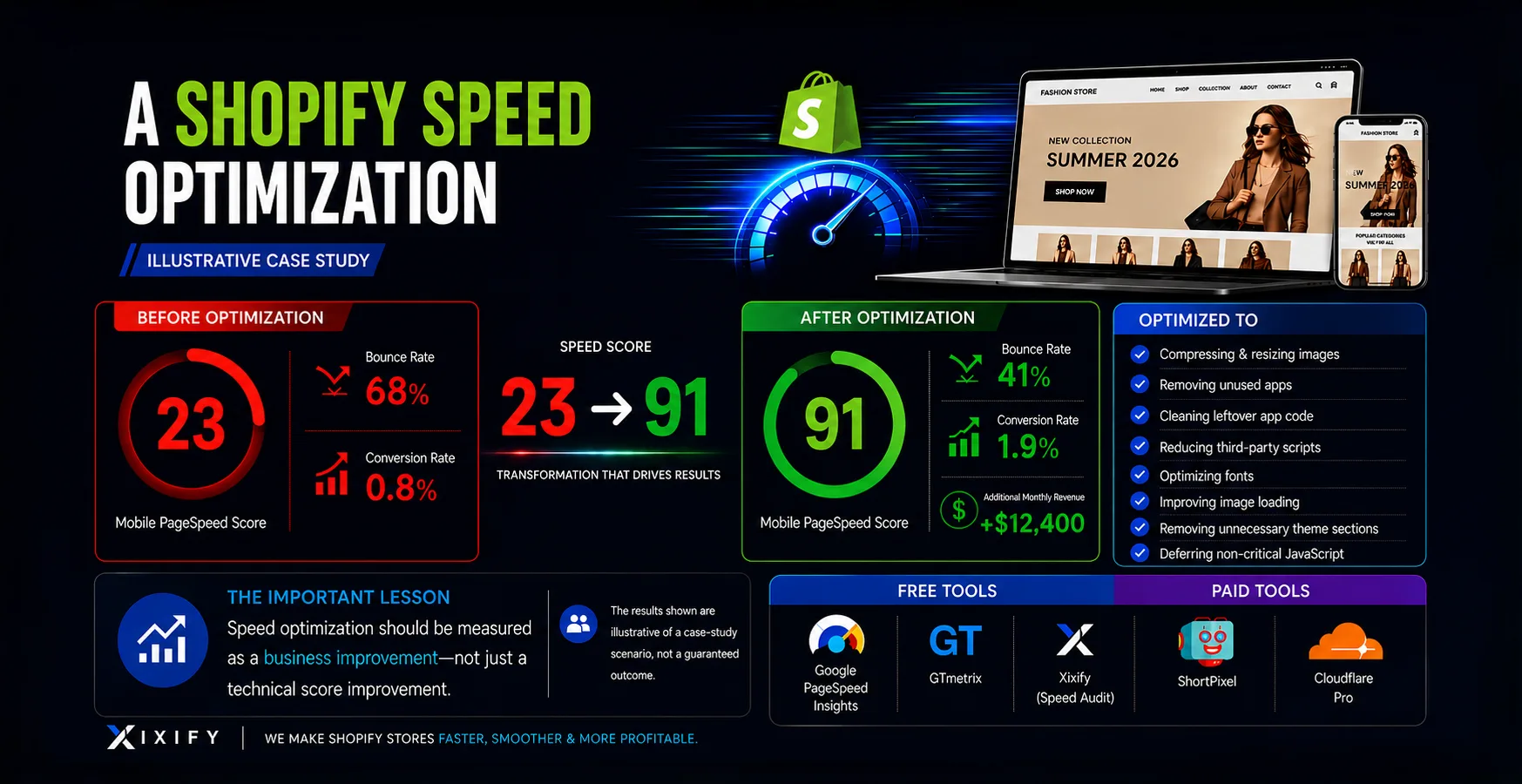
Imagine a Shopify fashion store with a heavily customized theme, large product images, several marketing apps, and multiple third-party scripts.
Before optimization:
- Mobile PageSpeed Score: 23
- Bounce Rate: 68%
- Conversion Rate: 0.8%
The optimization focused on:
- Compressing and resizing images
- Removing unused apps
- Cleaning leftover app code
- Reducing third-party scripts
- Optimizing fonts
- Improving image loading
- Removing unnecessary theme sections
- Deferring non-critical JavaScript
After optimization:
- Mobile PageSpeed Score: 91
- Bounce Rate: 41%
- Conversion Rate: 1.9%
- Additional Monthly Revenue: $12,400
The important lesson isn’t that every Shopify store will go from 23 to 91 or generate an extra $12,400 per month. Those results are illustrative of a case-study scenario, not a guaranteed outcome.
The bigger lesson is this:
Speed optimization should be measured as a business improvement—not just a technical score improvement.
Shopify Speed Optimization Tools We Recommend
Free tools:
- Google PageSpeed Insights
- GTmetrix
- Xixify
Paid tools:
- ShortPixel
- Cloudflare Pro
You don’t need 20 different tools. Start with a small toolkit and use it consistently.
FAQs
How fast should my Shopify store load?
As a practical target, aim for a store that becomes usable quickly on mobile and meets Google’s Core Web Vitals thresholds.
For LCP, Google considers 2.5 seconds or less a good result at the 75th percentile. INP should be 200ms or less, while CLS should be 0.1 or less.
Does Shopify's CDN speed up my store?
Yes. Shopify provides CDN infrastructure for storefront assets, backed by Cloudflare, along with compression and other performance optimizations.
Will removing apps improve Shopify speed?
It can. Apps that add storefront JavaScript, CSS, widgets, network requests, or other functionality can affect performance.
There is no universal rule that deleting one app will increase your PageSpeed score by a specific number of points.
How often should I check my Shopify store speed?
Check it at least once a month and after major changes.
You should especially test after installing an app, changing your theme, adding a new homepage section, installing tracking tools, adding large images or videos, or making major code changes.
Does slow Shopify speed hurt Google rankings?
Poor performance can contribute to a weaker page experience, and Core Web Vitals are part of Google’s page experience considerations.
But PageSpeed score itself isn’t a direct ranking score.
What's a good mobile PageSpeed score?
A 90+ Lighthouse Performance score is generally considered good.
But don’t stop there. A 90+ score in a lab test doesn’t guarantee that every real customer has a fast experience.
Final Thoughts:
Don’t Chase 100, Build a “Faster Store”
Shopify speed optimization isn’t about turning every number green. It’s about removing unnecessary friction between your customer and the purchase.
Start with the biggest problems:
- Compress oversized images
- Remove unnecessary apps
- Clean leftover app code
- Reduce third-party scripts
- Optimize JavaScript loading
And remember: a 90+ score is a target, not the finish line. The best Shopify store is the one that feels fast to real customers.
Get a Free Shopify Speed Audit
Think your Shopify store is slower than it should be?
We’ll analyze your storefront, identify the biggest performance bottlenecks, and show you which improvements are worth making first.
Get your free Shopify Speed Audit and find out what’s slowing your store down—without guessing.
Published by Xixify. Helping businesses build websites that actually work.